Click HERE for downloads.

U232 RS-232 to USB Conversion Module

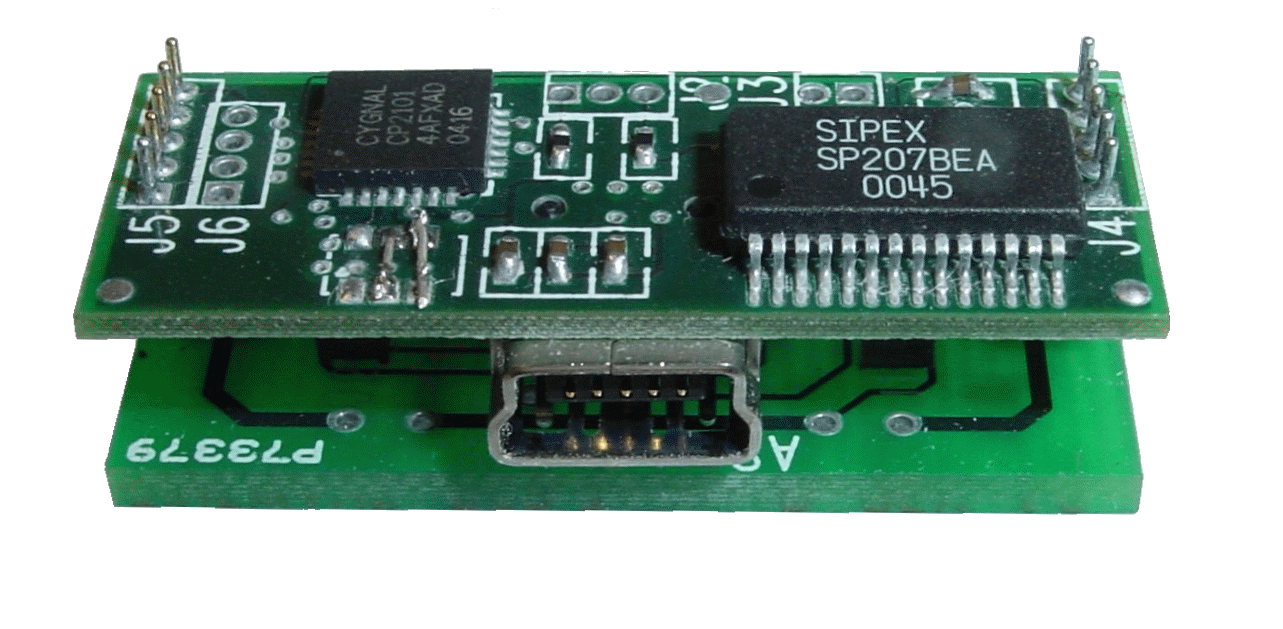
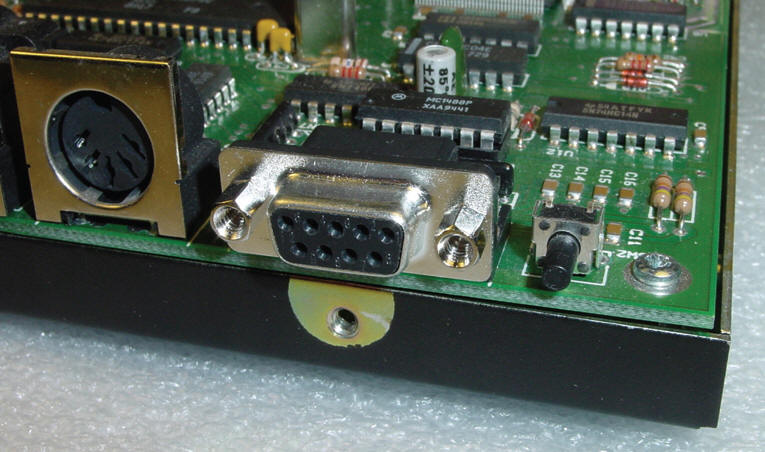
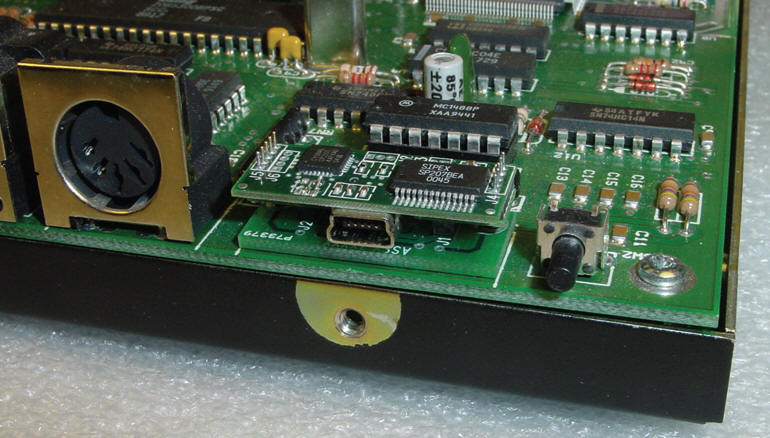
The U232 is a RS-232-to-USB conversion module for replacement of PCB mount DB-9 and DB-25 connectors.  It offers a quick upgrade to USB of an existing product’s legacy RS-232 serial port by replacement of the Dsubminiature (DB) connector. No electrical or physical changes are required – just replace the existing serial port connector with the U232 module on the circuit board. The USB port on the host device supplies all power for the module. Several models are available for both DB-9 and DB-25 connectors with long and short footprints.

Features

  • Direct replacement for legacy DB9 and DB25 Right Angle PCB connectors

  • Powered by USB

  • Mini-B USB Connector

  • 300 - 115 kbps

  • Suitable for retrofit and new products

  • Available in deep (.591”) footprint

  • Available in normal (.318”) footprint

  • Available in custom footprint

  • USB cable supplied

  • USB Windows, Linux software drivers supplied with U232

  •  ROHS compliant models available
Before Before
   
After After

Specifications

USB I/O

  • USB port USB 2.0 compliant

  • Data rate: Full Speed (12 Mbps)

  • ESD protection +/-10 kV

RS-232 I/O

  • Serial Port RS-232 compliant

  • Serial data rate 115 kbps bps

  • ESD protection +/-10 kV

Physical

  • PCB Footprint DB-9, DB-25, .318” & .591” deep

  • Size Compatible with DB-9 & DB-25 dimensions

  • Weight 1 oz.

  • Operating Temp.: -40 degrees C to +85 degrees C

  • Power: USB bus 5 VDC, 30 mA.

Downloads

PC COM Driver
(For Vista)
June, 2008 U232_5.2.2.zip  (Version 5.2.2)

USB_Driver_500.exe  <= Self-Extracting

PC COM Driver
(for Windows XP)
12/18/2006 U-232 Driver Setup.zip  (Version 4.38)
PC COM Driver
(for obsolete versions of Windows)
10/27/2006 U232-Win9x.zip  (Version 4.38)
Datasheet April, 2006 U232_Datasheet.pdf
Hardware Manual December, 2006 U232 USB Upgrade Manual (hardware)
Software Installation Manual May, 2007 U232 Software Installation Manual

Note #1 on PC COM Drivers: Version 5.x of the drivers (from Silicon Labs) does not work with some programs.  If you see the port, but are unable to access it, then uninstall version 5.x (via Add/Remove in the Control Panel) and reinstall version 4.38.

Note #2 on PC COM Drivers: If you are using Airmail under XP or Vista, you need to use the XP drivers (version 4.38).  If you have been using versions greater than 4.38, use "Add/Remove Software" from Control Panel to remove the newer drivers first!

You may use TWComDetect to test your driver installation.
To Contact Timewave
US Dealers http://www.timewave.com 651-489-5080
Timewave Technology Inc.
Canadian Dealers
Fax 651-489-5066
1025 Selby Ave., Suite 101
International Distributors
St. Paul, MN 55104 USA
 
 
  © 2007-2008 Timewave Technology, Inc.  All Rights Reserved.